

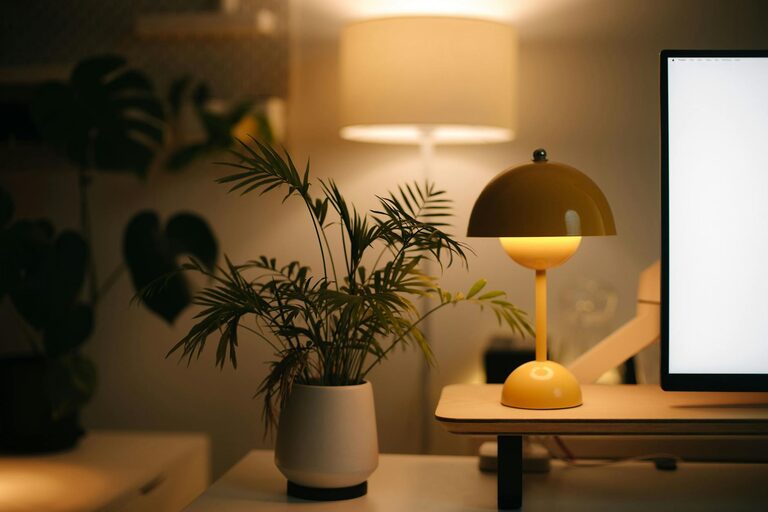
Creating a cozy and inviting home workspace is essential for maintaining productivity and comfort, especially if you spend long hours working from home. A well-designed workspace not only boosts your focus but also makes your day more enjoyable. Whether you have a dedicated room or just a small corner, these tips will help you craft a space that feels just right for you.
Choose the Right Location
Selecting the ideal spot for your home workspace is one of the first steps. Look for a quiet area with minimal distractions. Natural light is a bonus, as it brightens your space and helps reduce eye strain.
– Near a Window: Position your desk close to a window for natural light and a view.
– Away from High Traffic Areas: Avoid areas where family members or roommates frequently pass by.
– Consider Ventilation: Fresh air circulation keeps the space feeling fresh and inviting.
Invest in Comfortable Furniture
Comfort matters when spending hours at a desk. Choosing ergonomic furniture supports good posture and reduces fatigue.
Desk and Chair
– Ergonomic Chair: Invest in a chair with good lumbar support and adjustable height.
– Desk Height: Make sure your desk is at a comfortable height to avoid strain on your wrists and arms.
– Desk Size: Choose a desk that fits your space and has enough room for your equipment and supplies.
Additional Seating
If space allows, add a cozy armchair or small sofa for reading or brainstorming sessions.
Create Warm Lighting
Proper lighting can transform the mood and functionality of your workspace.
– Layered Lighting: Combine overhead, task, and ambient lighting to avoid harsh shadows.
– Warm Bulbs: Use warm-white bulbs instead of cool-white to create a soft and inviting atmosphere.
– Desk Lamp: A focused desk lamp helps illuminate your work without straining your eyes.
Personalize with Decor
Adding personal touches makes your workspace feel welcoming and motivating.
– Plants: Indoor plants improve air quality and add a touch of nature.
– Artwork: Choose prints or photos that inspire and uplift you.
– Textiles: Soft rugs, cushions, or throws can add warmth and texture.
– Color Palette: Select calming colors like soft blues, greens, or neutrals to promote focus.
Organize and Declutter
A clutter-free environment helps you concentrate and reduces stress.
– Storage Solutions: Use shelves, drawers, and organizers to keep supplies tidy.
– Cable Management: Use clips or sleeves to keep cords neat and out of the way.
– Daily Clean-up: Spend a few minutes at the end of each day tidying your desk.
Incorporate Technology Thoughtfully
Technology should support your work without adding to clutter.
– Wireless Devices: Consider wireless keyboards, mice, and headphones to reduce cables.
– Monitor Stands: Elevate monitors to eye level for better posture.
– Charging Station: Designate an area for charging devices to keep cables organized.
Add Comfort Enhancements
Small extras can elevate your comfort and well-being.
– Heating Pads or Fans: Adjust temperature at your desk to stay comfortable.
– Aromatherapy: A subtle diffuser with relaxing scents can improve mood.
– Noise Control: Use noise-canceling headphones or soft background music to maintain focus.
Maintain a Routine
Once your space is set, develop habits that help you maximize its potential.
– Start and End Times: Set consistent work hours to create boundaries.
– Break Areas: Designate spots away from your desk for breaks.
– Regular Updates: Refresh your workspace periodically to keep it inspiring.
—
By following these tips, you can create a home workspace that feels warm, inviting, and functional. A cozy workspace doesn’t just look good—it supports your productivity and well-being every day. Take your time customizing your area and enjoy the benefits of a thoughtfully designed work environment.