

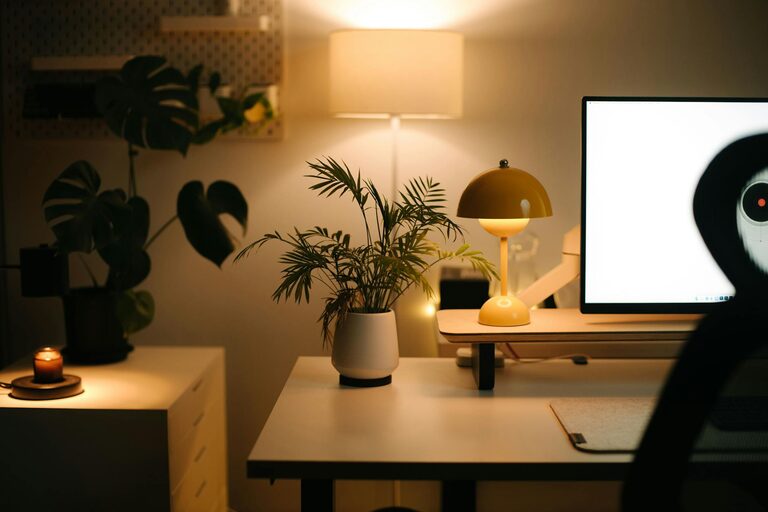
Creating a relaxing home workspace is essential for maintaining productivity and comfort, especially as more people work from home. A well-designed workspace can help reduce stress, improve focus, and make working more enjoyable. In this blog post, we’ll explore practical tips to help you create a calming and productive workspace at home.
Why a Relaxing Workspace Matters
A cluttered or uncomfortable workspace can lead to distractions, fatigue, and decreased motivation. On the other hand, a thoughtfully designed area can help you stay organized, feel calm, and perform better throughout the day. Small changes can have a big impact on your overall work experience.
Choosing the Right Location
Find a Quiet Spot
Select a part of your home where noise and interruptions are minimal. If possible, choose a room or corner with a door you can close. Reducing background noise helps you focus and keeps your workspace distinct from living areas.
Consider Natural Light
Position your desk near a window to take advantage of natural light, which can lift your mood and reduce eye strain. If natural light is limited, invest in good quality artificial lighting that mimics daylight.
Setting Up Your Desk and Chair
Invest in Ergonomics
Comfort is key to staying productive. Choose a desk and chair that support good posture. Your chair should have adjustable height and lumbar support, and your desk should allow your arms to rest comfortably while typing.
Organize Your Essentials
Keep your most-used items—like your computer, notebook, and pens—within easy reach. Use cable organizers to manage cords and prevent clutter.
Creating a Calm and Inviting Atmosphere
Choose Soothing Colors
Colors can influence your mood. Soft, neutral tones or calming blues and greens work well to create a relaxing vibe. Avoid overly bright or distracting colors for your immediate workspace.
Add Personal Touches
Incorporate a few personal items such as photos, plants, or art that make you feel happy and motivated. Plants especially can improve air quality and add a bit of nature indoors.
Minimize Clutter
Keep your workspace tidy by regularly decluttering. Use storage solutions like drawers, shelves, or boxes to keep paperwork and supplies organized and out of sight.
Managing Technology and Distractions
Use Noise-Cancelling Headphones
If you can’t control external noise, noise-cancelling headphones are a great investment to help maintain concentration.
Set Boundaries for Devices
Turn off non-essential notifications and consider apps that block distracting websites during work hours. Keeping your phone out of sight can reduce temptations to check it frequently.
Incorporating Break Spaces and Movement
Take Regular Breaks
Design your workspace to encourage breaks. A comfortable chair or small spot nearby for stretching or resting your eyes can help prevent burnout.
Encourage Movement
Consider a standing desk or use a timer to remind you to stand and move every hour. Movement boosts circulation and maintains energy levels.
Enhancing Air Quality and Comfort
Ventilation Matters
Good airflow keeps the space fresh and reduces fatigue. Open windows when possible or use fans or air purifiers to maintain air quality.
Control Temperature
Ensure your workspace stays at a comfortable temperature. Use fans, heaters, or humidifiers as needed to create the ideal environment for focus.
Final Thoughts
Designing a relaxing home workspace combines comfort, organization, and personalization. By focusing on these elements, you can create a space that supports your mental well-being and productivity. Remember, small changes add up—start with one or two tips and build your perfect workspace over time. With the right setup, working from home can become a more pleasant and efficient experience.