

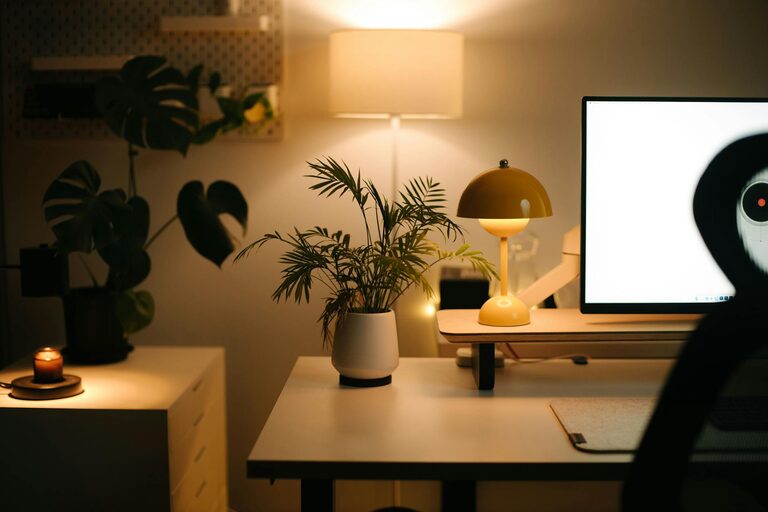
Creating a relaxing home workspace is essential for maintaining focus, comfort, and productivity, especially as more people work remotely or spend significant time at a desk. A well-designed workspace can reduce stress, prevent discomfort, and help you stay motivated. In this post, we’ll explore practical tips to help you create a calming and efficient home office environment.
Why a Relaxing Workspace Matters
When your workspace feels cluttered, uncomfortable, or chaotic, it can negatively impact your concentration and energy levels. On the other hand, a thoughtfully arranged workspace encourages a positive mindset and sustains your motivation throughout the day.
A relaxing workspace is more than just aesthetics—it supports your physical well-being and mental clarity. Through smart setup and organization, you can foster an environment that meets your personal needs and work style.
1. Choose the Right Location
Find Natural Light
Select a space with plenty of natural daylight. Exposure to natural light improves mood and helps regulate your body clock, keeping you alert during work hours. Position your desk near a window if possible, but avoid direct glare on your screen.
Minimize Noise Distractions
If possible, pick a quiet area away from household traffic. Noise can break concentration and increase stress. If outside noise is unavoidable, consider noise-cancelling headphones or white noise machines to create a peaceful sound environment.
2. Invest in Comfortable, Ergonomic Furniture
Ergonomics refers to furniture and tools designed to support your body’s comfort and health during prolonged use.
– Desk: Choose a desk height and size that fit your workspace needs without feeling cramped.
– Chair: Invest in an adjustable chair with good lumbar support. It should allow your feet to rest flat on the floor and your arms to be at a comfortable angle.
– Accessories: Use a keyboard tray, monitor stand, or footrest if needed to maintain proper posture.
Comfortable seating and proper ergonomics reduce the risk of aches, fatigue, and long-term injury.
3. Declutter and Organize Your Space
A tidy workspace promotes mental clarity and reduces stress. Follow these strategies:
– Limit items: Keep only the essentials on your desk to avoid distraction.
– Storage solutions: Use shelves, drawers, or boxes to neatly store supplies.
– Daily routine: Spend a few minutes before and after work organizing your area.
– Cable management: Use clips or covers to keep cords under control.
An organized space helps you find what you need quickly and keeps your mind focused on tasks.
4. Add Calming Elements and Personal Touches
Creating a relaxing atmosphere doesn’t mean removing your personality. Personal touches make the space inviting and enjoyable.
– Plants: Indoor plants improve air quality and add life to the room.
– Colors: Soft, neutral tones or calming blues and greens can reduce stress and improve concentration.
– Artwork: Hang inspiring or soothing artwork or photos that make you smile.
– Lighting: Use soft, warm lamps where overhead lights are too harsh.
Balance aesthetics with functionality to maintain a productive environment.
5. Control Temperature and Air Quality
Your physical comfort is crucial for productivity.
– Temperature: Keep the room at a comfortable temperature, typically between 68–72°F (20–22°C).
– Ventilation: Open windows when possible or use an air purifier to maintain fresh air.
– Humidity: Maintain moderate humidity levels to prevent dryness or stuffiness.
Small adjustments in your environment can greatly improve your comfort and focus.
6. Establish Boundaries and Routine
To truly benefit from your home workspace, set clear boundaries:
– Define work hours: Stick to regular start and end times to avoid burnout.
– Separate workspace: If possible, dedicate a specific area only for work to mentally separate work and relaxation zones.
– Breaks: Take short breaks to stretch, hydrate, and rest your eyes.
A clear structure helps maintain work-life balance and prevents your workspace from becoming a source of stress.
7. Use Technology Mindfully
Technology is essential but can also cause distractions.
– Notifications: Turn off non-essential notifications during focus times.
– Apps: Use productivity apps for task management and time tracking.
– Ergonomic devices: Consider wireless keyboards or mice to reduce clutter and improve comfort.
Be intentional about your technology use to support your workflow rather than hinder it.
Conclusion
Designing a relaxing home workspace is a worthwhile investment in your comfort and productivity. By focusing on location, comfort, organization, ambiance, and routines, you can create an environment that supports your best work every day. Start with small changes and adjust as you learn what works best for you. A peaceful, comfortable workspace not only improves your work output but also promotes well-being and job satisfaction.